
forge-ui
Vue.js chat interface for interacting with AI agents through the Forge Orchestrator. Features real-time streaming, multi-model support, and tool call visualization.
Features
| Feature | Description |
|---|---|
| SSE Streaming | Real-time response streaming via Server-Sent Events |
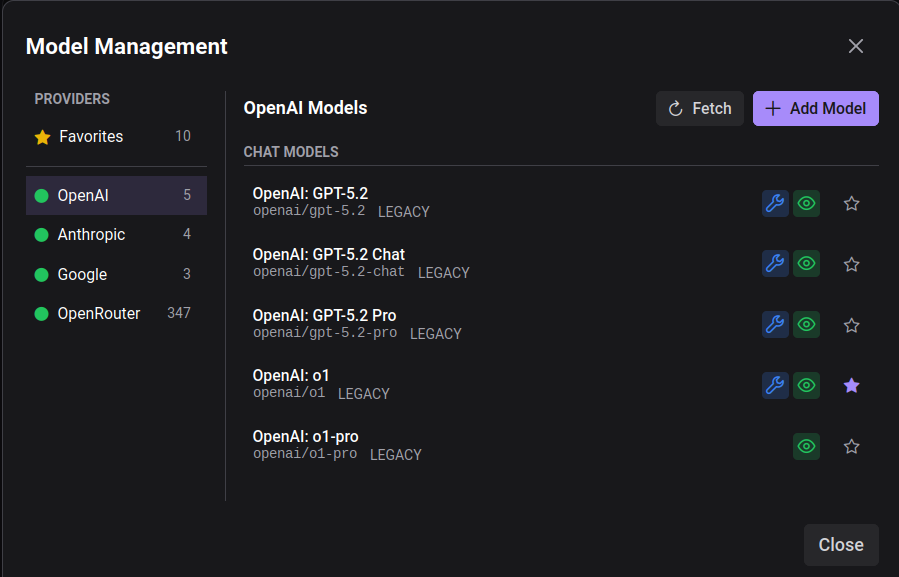
| Multi-Model Support | Switch between OpenAI, Anthropic, Google, and 300+ OpenRouter models |
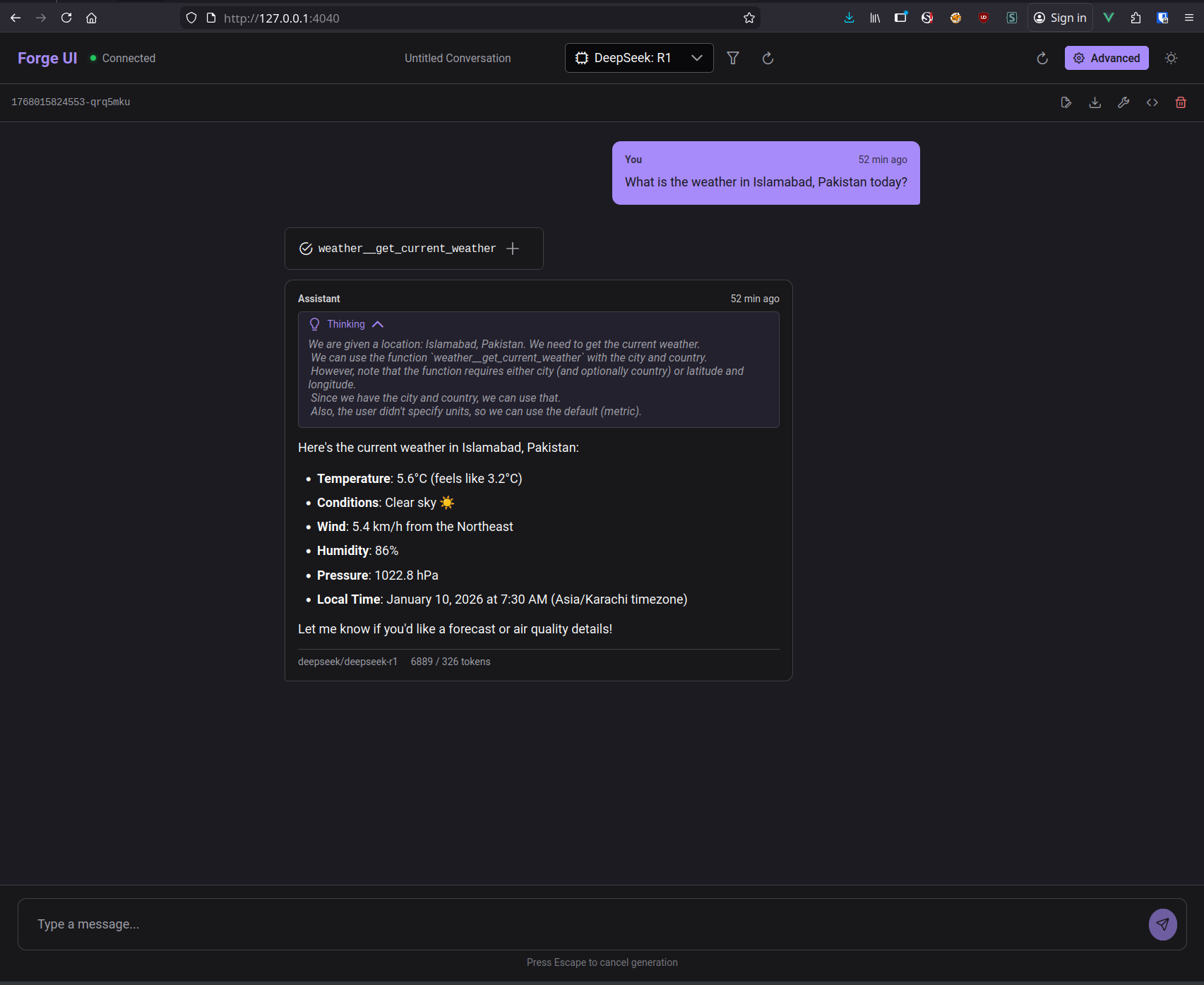
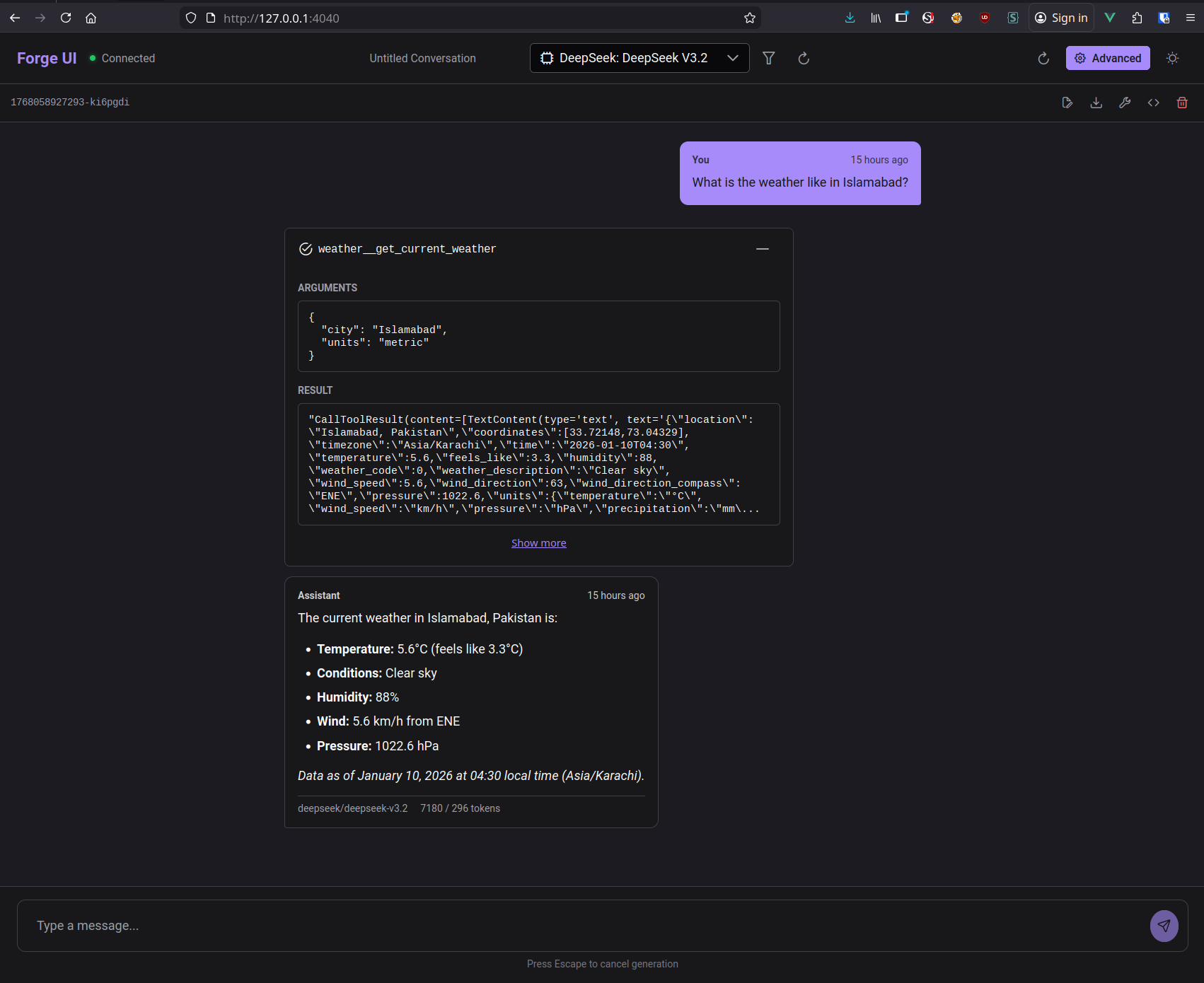
| Tool Call Visualization | Expandable tool calls showing arguments and results |
| Thinking Blocks | Collapsible reasoning display for models that support it |
| Conversation Management | Save, export, and import conversations as JSON |
| Dark/Light Mode | Theme toggle with persistent preference |
Screenshots
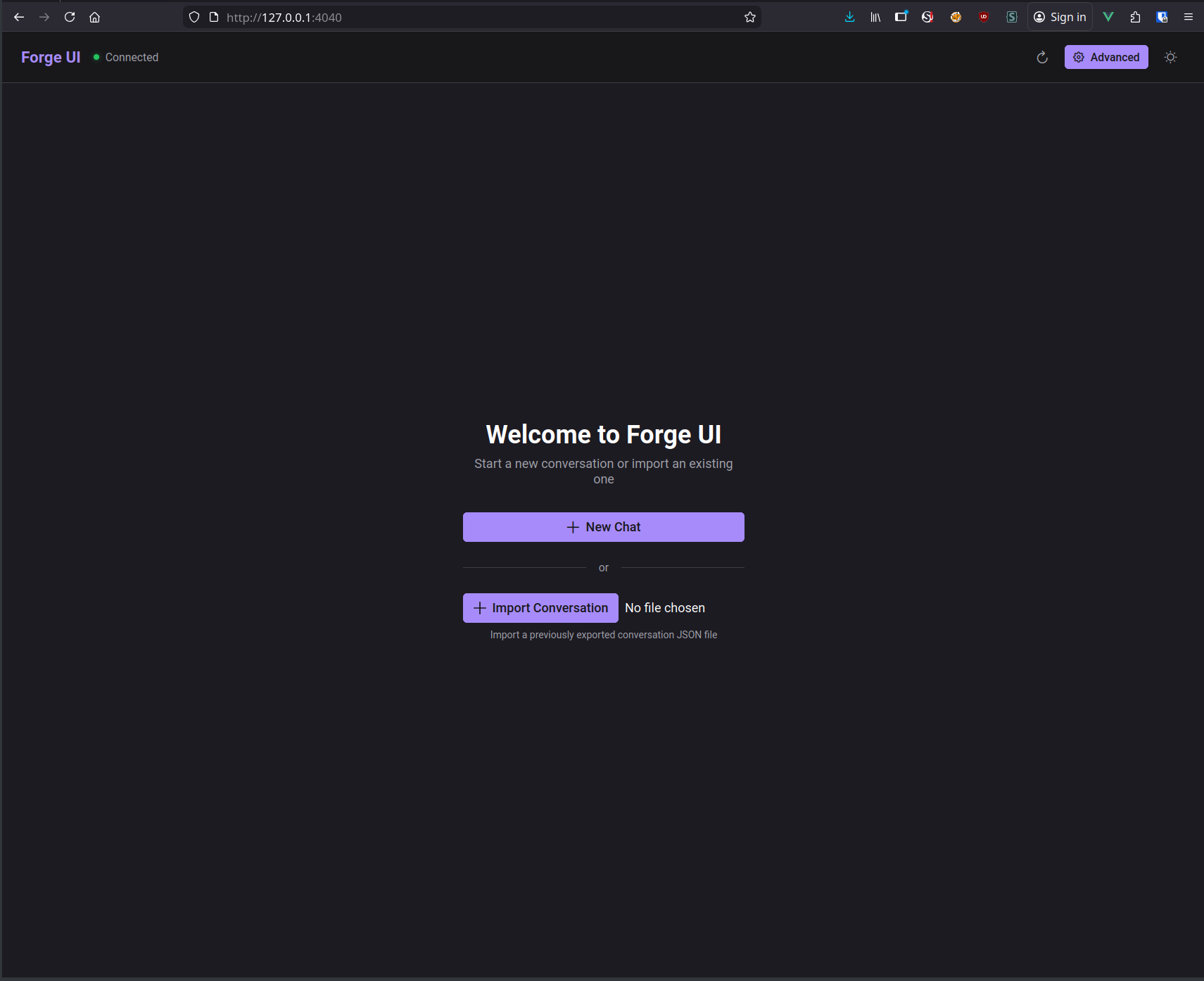
Welcome Screen
Start a new conversation or import a previously exported one.
Chat Interface
Real-time conversation with tool call chips and markdown rendering.
Tool Call Details
Click any tool call to inspect arguments and results.
Model Management
Browse and configure models from multiple providers. Fetch available models, add custom endpoints, and manage favorites.
Installation
bash
# Clone the repository
git clone https://github.com/agentic-forge/forge-ui.git
cd forge-ui

# Install dependencies
npm install

# Start development server
npm run dev
The UI runs on port 4040 by default: http://localhost:4040
Configuration
forge-ui connects to the Orchestrator API. Configure the endpoint in the Advanced settings or via environment variable:
bash
VITE_ORCHESTRATOR_URL=http://localhost:4041Architecture
forge-ui
├── src/
│   ├── components/
│   │   ├── ChatMessage.vue      # Message rendering with markdown
│   │   ├── ToolCallChip.vue     # Expandable tool call display
│   │   ├── ThinkingBlock.vue    # Collapsible reasoning
│   │   └── ModelSelector.vue    # Model picker dropdown
│   ├── views/
│   │   └── ChatView.vue         # Main chat interface
│   └── services/
│       └── api.ts               # SSE streaming client
Keyboard Shortcuts
| Shortcut | Action |
|---|---|
Enter | Send message |
Shift+Enter | New line in input |
Escape | Cancel generation |
Technology Stack
| Layer | Technology |
|---|---|
| Framework | Vue 3 + TypeScript |
| UI Components | PrimeVue 4 (Aura theme) |
| Styling | CSS Variables + PrimeVue tokens |
| Streaming | Server-Sent Events (SSE) |
| State | Vue Composition API |
Links
- GitHub Repository
- Orchestrator Docs — Backend API that forge-ui connects to
- Armory Docs — Tool gateway that provides MCP tools