
Model Management: Beyond the Dropdown
January 2026
When you have access to 300+ LLM models, choosing one becomes a UX problem. Our model dropdown was a flat list sorted alphabetically—useful for finding a specific model, but terrible for daily use. You'd scroll past dozens of models you'd never use to find the three you actually care about.
We built a proper model management system to solve this. Here's how it works.
The Problem with Flat Lists
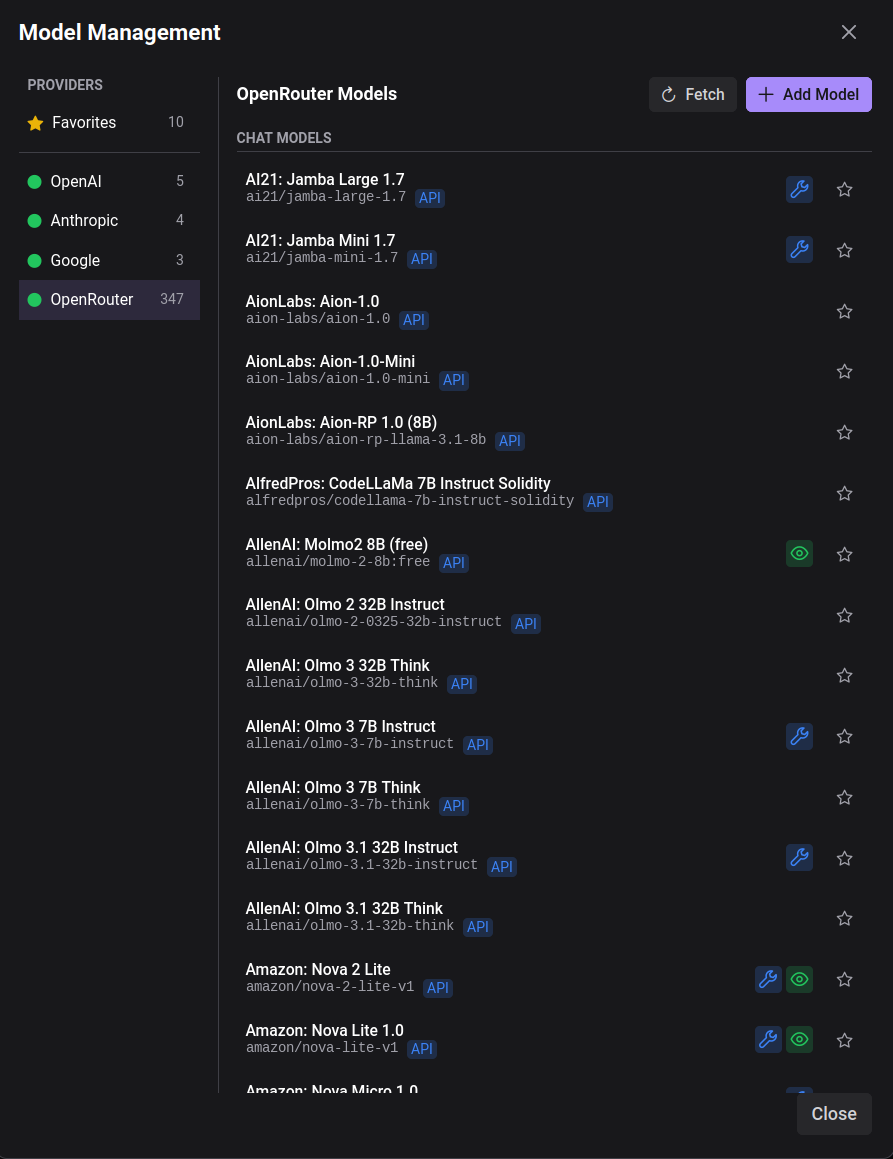
OpenRouter gives you access to models from OpenAI, Anthropic, Google, Meta, Mistral, and dozens of other providers. That's powerful, but it means your model selector looks like this:
- AI21: Jamba Large 1.7
- AI21: Jamba Mini 1.7
- AionLabs: Aion-1.0
- ... (300 more)
- OpenAI: GPT-4o
- ... (50 more)
Every time you want to switch to Claude or GPT-4, you're hunting through an alphabetical list. Most users settle on 3-5 models they actually use. The rest is noise.
Favorites First
The solution is simple: put your favorite models at the top.
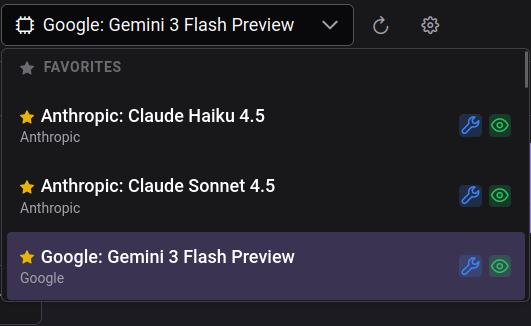
The dropdown now shows three sections:
- Favorites — Models you've starred
- Recent — Models you've used recently (excluding favorites)
- All Models — Everything else
Your most-used models are always one click away. No scrolling, no searching.
The Model Management Modal
To manage favorites and browse available models, we added a dedicated modal:
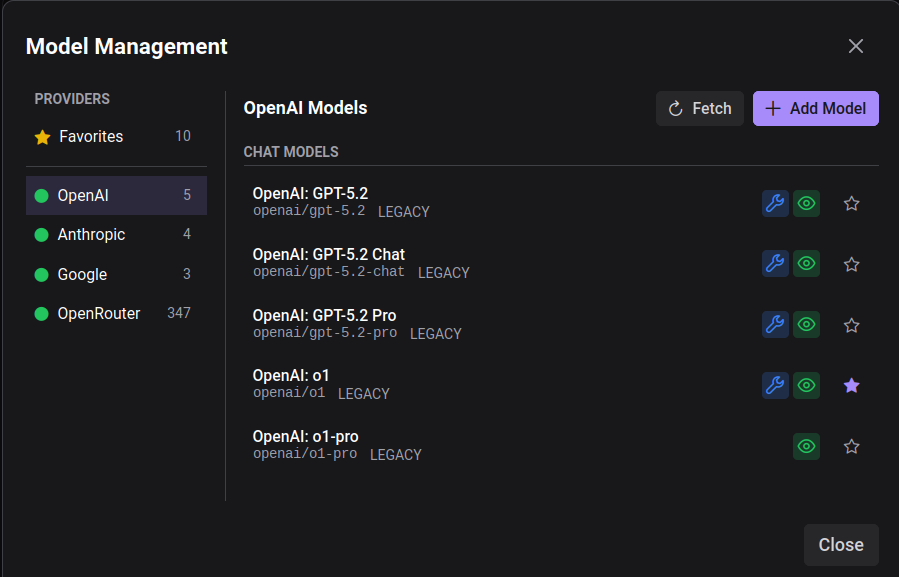
The left sidebar shows providers:
- Favorites — A pseudo-provider showing all starred models
- OpenAI, Anthropic, Google — Direct provider access
- OpenRouter — The aggregator with 300+ models
Each provider shows a count of available models and a status indicator (green = configured with API key).
Multi-Provider Architecture
Under the hood, we rebuilt the model system to support multiple providers natively:
┌─────────────────────────────────────────────────┐
│              Provider Registry                   │
├─────────────┬─────────────┬─────────────────────┤
│   OpenAI    │  Anthropic  │       Google        │
│  (has API)  │  (manual)   │      (manual)       │
├─────────────┴─────────────┴─────────────────────┤
│                  OpenRouter                      │
│            (has API - 300+ models)              │
└─────────────────────────────────────────────────┘
Providers with APIs (OpenAI, OpenRouter) can fetch their model lists automatically. Click "Fetch" and the system pulls the latest models, detects capabilities (tools, vision, reasoning), and saves them to your config.
Manual providers (Anthropic, Google) don't expose public model listing APIs, so we provide suggestion chips for common models. You can also add any model ID manually.
Capability Detection
Each model shows capability badges:
| Badge | Meaning |
|---|---|
| 🔧 | Supports tool/function calling |
| 👁 | Supports vision (image input) |
| 💡 | Reasoning model (extended thinking) |
For API-fetched models, we detect these automatically from the provider's metadata. For manual models, you set them when adding.
Persistent Storage
Your favorites, recent models, and provider settings persist in ~/.forge/models_config.json:
{
  "version": "1.0",
  "providers": {
    "anthropic": {
      "enabled": true,
      "models": {
        "claude-sonnet-4": {
          "display_name": "Claude Sonnet 4",
          "favorited": true,
          "capabilities": { "tools": true, "vision": true }
        }
      }
    }
  },
  "recent_models": [
    { "provider": "openai", "model_id": "gpt-4o" }
  ]
}
This means your preferences survive restarts and can be shared across machines.
REST API
The model management system exposes a full REST API:
# List providers and their status
GET /providers

# Get all models grouped by provider
GET /models/grouped

# Fetch models from a provider's API
POST /models/fetch
{"provider": "openrouter"}

# Add a model manually
POST /models
{"provider": "anthropic", "model_id": "claude-opus-4"}

# Toggle favorite
PUT /models/{provider}/{model_id}
{"favorited": true}

# Get suggestions for manual providers
GET /models/suggestions/anthropic
This enables building custom UIs or scripts that manage your model configuration.
Migration from Legacy
If you were using the previous OpenRouter-only model cache, the system automatically migrates your data on first launch. Models are imported with a legacy source tag so you can distinguish them from freshly-fetched models.
This is part of a series on building Agentic Forge. See also: Multi-Provider Orchestrator, Streaming Tool Calls.